Coastal content-creation equipment is the set of cameras, audio, storage, support and protection that a creator uses to shoot at the beach, on a boat or in the water. This hub shows how to build a workflow around that kit, what to prioritise, and how to protect it from salt, sand and sun.
Quick answer: build coastal creator gear around workflow, not around the camera: a main camera suited to where you shoot, clean audio, reliable storage with labelled cards, support such as straps and mounts, and protection against salt and sand. Start with one camera and a short list of accessories, and add equipment only when a specific problem in your workflow asks for it.
Surf camera gear on Amazon
Sponsored
As an Amazon Associate, SurferPix earns from qualifying purchases. See our affiliate disclosure.
A portable power bank aimed at creators running cameras, phones, and lights through a full day of coastal shooting without access to an outlet. Salt air and sand shorten the practical life of exposed ports, so a case or pouch helps.
Reflects criteria around stated capacity and port count relative to a typical coastal creator's device list.
A sealed or gasketed case for spare memory cards and small batteries, aimed at creators who want to protect the most failure-prone parts of a coastal kit from sand and moisture. Labeling slots helps avoid overwrite mistakes during a shoot.
Reflects criteria around gasket/seal quality and card capacity relative to a typical shoot day's storage needs.
A compact shotgun microphone with a wind muff, aimed at creators recording shore interviews or vlogging segments where onboard camera audio picks up too much wind and wave noise. Requires confirming mount and input compatibility with the camera.
Reflects criteria around wind-muff effectiveness claims and camera-specific mount/input compatibility.
A weather-resistant backpack sized to carry a full coastal creator kit -- camera, mount, batteries, audio gear -- in labeled compartments, aimed at creators managing an expanded rather than minimal kit. Bulkier than a single dry bag.
Reflects criteria around weather-resistant exterior material and compartment layout suited to a multi-item creator kit.
A content creator at the coast has a different problem from a studio creator. The environment is bright, windy, wet and unpredictable, and the gear gets carried across sand. Gear that looks excellent on a spec sheet can fail on a beach because the screen washes out, the microphone fills with wind, or the bag has no way to keep sand out. It helps to design the kit around the workflow: plan, shoot, protect, store, back up and edit.
Ask a few plain questions. What do you publish: short clips, longer videos, photos or all three? Where do you shoot: shore, water, boat or air? Who is on camera: you, friends or strangers? How many hours do you spend on location? The answers tell you whether you need a second camera, a wireless microphone, extra batteries or a bag you can lock. Our coastal content creator gear checklist gives you a structured starting list to adapt.
Start small and let the workflow tell you what to add.
Use the table as a gap check. If you can name a product for every row and you have a tether for every item that can fall, you have a working kit.
Categories from the kit table above.
Cameras and audio
For many creators the main camera is a compact waterproof action camera, supplemented by a phone for quick stories and a larger camera for shore work. Pick the one that fits the shot rather than trying to make one device do everything. For audio, wind is the enemy at the coast. A foam or fur windshield helps, and so does getting the microphone close to the speaker. Many creators use a small wireless microphone for talking to camera and let the camera record ambient surf sound as a separate track.
Check each microphone's compatibility with your camera, including whether it needs an adapter and whether it works with the camera's waterproof door closed. If you use a housing, remember it can muffle the camera's built-in microphone. Always monitor audio with headphones before you record the real take, since surf noise can mask problems until you are back at the computer.
Storage, backup and labelling
Lost footage is the most expensive failure in any creator workflow. At the coast, sand, water and heat all threaten memory cards. Carry more cards than you think you need, label them clearly, and use a simple rule: a full card goes into a pouch, never back into the camera. Format cards in the camera, not on a computer, and keep a note of which camera used which card. Our guide to labelling memory cards to avoid overwrite mistakes shows a habit that costs almost nothing.
Back up the same day. Copy files to a laptop or portable drive, then to a second location, before you clear the card. Keep drives in a dry bag and avoid leaving them in a hot car. If you shoot long sessions, check the maker's stated card requirements for high resolutions and frame rates, because a slow card can drop frames or stop recording. For the formats and file sizes that surf video produces, see the storage formats guide.
Surf camera gear on Amazon
Sponsored
As an Amazon Associate, SurferPix earns from qualifying purchases. See our affiliate disclosure.
Prices and availability were accurate when retrieved from Amazon and may change. Retrieved Nov 17, 2026.
How to choose what to buy
List your last five shoots. Note what failed or slowed you down.
Fix reliability first. Cards, batteries, bags and tethers before extras.
Add sound. Clean audio lifts almost any video more than a better lens.
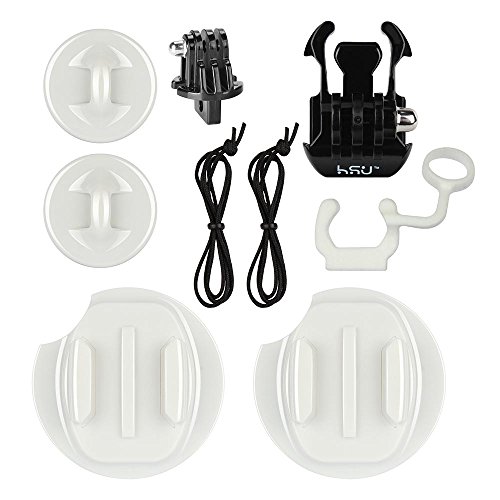
Add support. A mount or pole opens up new angles cheaply.
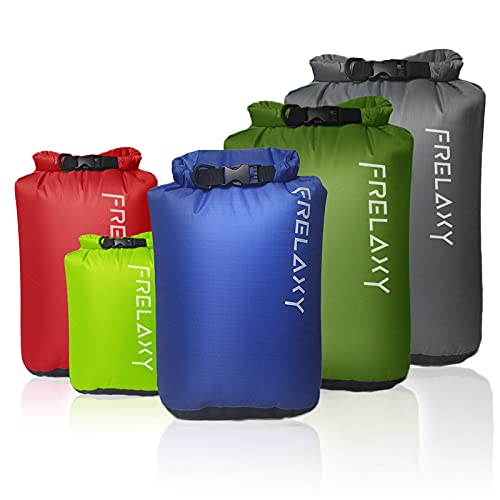
Add protection. Dry bags and cases extend the life of everything else.
Add a second camera only when a gap appears. Different positions need different tools.
Check compatibility. Every mount, filter, housing and microphone is model-specific.
We chose not to rank gear by price or star rating. Prices move constantly, and ratings we have not gathered ourselves are not something we publish.
Common mistakes
Overbuying before establishing a workflow. Gear that you do not use is wasted money.
Under-protecting spare batteries and cards. They are more failure-prone in salt and sand than the camera itself.
Ignoring wind noise. A great picture with unusable audio is a lost clip.
Not tethering. Drops and wipeouts take cameras and phones.
Skipping same-day backups. Footage is the product.
Working in the sun without shade. Heat shortens recording and stresses seals.
Carrying everything. A heavy bag on sand is tiring and leads to rushed decisions.
Care in salt water and sand
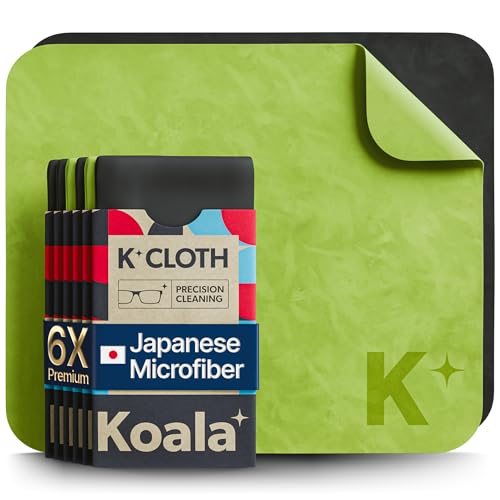
Everything that comes back from the beach needs a short routine. Rinse sealed or waterproof items in fresh water, dry them and let them air out. Wipe unsealed cameras and lenses with a clean, slightly damp microfibre cloth to remove salt, then dry them. Blow sand from ports and hinges with a blower, and never wipe grit with a dry cloth, which scratches. Rinse straps, clips and mount hardware and dry them in the shade.
Open bags and cases at home so moisture can escape, and replace silica gel packs when they are saturated. Check battery contacts and card slots for salt crust. Keep a written list of what is due for service or replacement, such as seals, props or foam, so you can fix things on your schedule. Our guides on straps, dry bags and housings cover the details for each item.
A worked example: a one-person surf content day
Consider a creator who films a short surf session, records a voice-over and posts a clip the same evening. Morning: charge batteries, format cards in camera and label them. Pack a waterproof camera with a floating grip and tether, a wireless microphone with a windshield, a phone in a case, a towel, spare batteries and a lens cloth in a dry bag. On site: record a short piece to camera on the sand, check the audio with headphones, then shoot the session from the water.
After the session: rinse the waterproof gear, dry it, and copy files to a laptop before you clear anything. Label the cards as used. Back up to a second drive. In the evening: pick the best clips, edit, and post. Next day: check the gear for salt, replace anything worn, and note what slowed you down. After a few sessions, the notes show you what to improve, whether that is a faster card, a better windshield or a lighter bag. The kit stays short because each item earned its place.
Questions to ask before you buy
Before adding any item, ask what problem it solves, whether it fits your existing gear, and how it will be protected from salt and sand. A new microphone should name the cameras it works with, a new tripod should state its load rating, and a new bag should state its closure and rating. If an item cannot answer those questions on the maker's page, leave it out of the kit until it can.
At minimum a camera, a way to hold it steady, clean audio, power and storage. For coastal work add protection against salt and sand, such as dry bags and tethers, and a routine for labelling and backing up cards.
What are the best accessories for content creators?
Accessories that improve audio, stability, power and storage tend to matter most: a wireless microphone with a windshield, a tripod or mount, spare batteries and reliable memory cards. For the coast, add dry bags and tethers.
What do content creators use for cameras?
Creators use a mix of smartphones, compact vlogging cameras, mirrorless cameras and action cameras, depending on the style of content. Coastal creators often add a waterproof action camera for splash and in-water shots.
Coastal content creator gear checklist: camera, audio, power, storage, protective carry, and cleaning routine, from a minimal kit to an expanded setup.